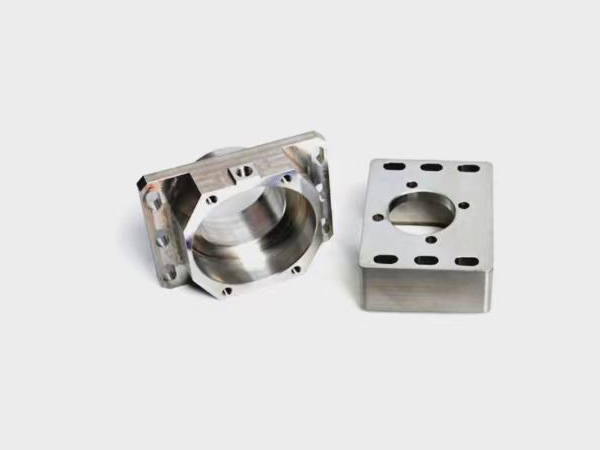
What Should You Pay Attention to When CNC Machining Aluminum Parts?
When CNC machining aluminum parts, attending to certain key details can help prevent quality issues and improve production efficiency. What should you keep in mind before starting CNC operations?
1. For new molds, the machining drawing must meet all requirements and data must be clearly presented. New mold drawings require a supervisor's signature, and all fields on the drawing must be completed.
2. The workpiece must carry a QC-approved identification stamp from the Quality Department.
3. Upon receiving the program sheet, verify that the workpiece datums align with the drawing datums.
4. Review every item on the program sheet carefully. Confirm that the CNC program matches the drawing specifications. If any discrepancies are found, resolve them immediately in coordination with the programmer and the production team.
5. Based on the workpiece material and size, evaluate whether the tooling selected by the programmer for roughing or finishing operations is appropriate. If any tool selection appears unreasonable, notify the programmer immediately to make the necessary changes in order to improve machining efficiency and part accuracy.
In daily production, the following guidelines should also be observed when CNC machining aluminum parts:
1. When manually milling excess stock from the top surface of a workpiece with a large cutter, be careful not to cut too deep.
2. The first cut is the most critical. By proceeding carefully and verifying all parameters, you can confirm that tool length offset, tool diameter offset, the program, spindle speed, and other settings are correct — preventing damage to the workpiece, tooling, or machine.
3. Use the following procedure for test-running a new program:
a. Set the first point height to 100 mm above the highest point, and visually verify that the position appears correct.
b. Set "Rapid Traverse" to 25% and "Feed Rate Override" to 0%.
c. When the tool approaches within approximately 10 mm of the machining surface, pause the machine.
d. Verify the remaining travel distance and confirm that the program is correct.
e. Upon restarting, keep one hand on the feed hold button, ready to stop the machine at any moment, while the other hand controls the feed rate override.
f. When the tool is very close to the workpiece surface, pause once more and verify the remaining Z-axis travel distance.
g. Once the cutting pass is running smoothly and steadily, return all overrides to their normal settings.
4. After entering the program name, write it down from the screen display and cross-reference it with the program sheet. When loading the program, verify that the tool diameter in the program matches the program sheet. The operator must immediately record the file name and tool diameter in the designated sign-off field on the program sheet — retrospective or pre-emptive entries are strictly prohibited.
5. In principle, the NC operator must remain at the machine during roughing operations. If it is necessary to leave — for tool changes or to assist with another machine — another NC team member must be assigned to monitor the machine, or the operator must return at regular intervals to check on progress.
6. During semi-finishing operations, the NC operator must pay special attention to any areas that were not reached during roughing to prevent the tool from colliding with uncut stock in these regions.
7. Program interruption and trimming. If the program is interrupted during machining and restarting from the beginning would waste excessive time, notify the team leader and programmer to modify the program and remove the already-completed portion.
8. Program anomalies. If the program exhibits unexpected behavior and the operator is unsure of the cause, raise the tool above the workpiece and run the program in air to observe the tool path before deciding on the next course of action.
9. During machining, the NC operator may adjust the feed rate and spindle speed provided by the programmer as conditions warrant. However, exercise particular caution during roughing of small copper electrodes — do not set the feed rate too high, as vibration may cause the workpiece to shift or loosen.
10. Throughout the machining process, the NC operator should cross-reference the workpiece against the detail drawing to check for any anomalies. If a discrepancy is detected between the two, stop the machine immediately and notify the team leader to verify whether an error has occurred.
11. When using tooling exceeding 200 mm in length, pay close attention to stock allowance, depth of cut, spindle speed, and feed rate to avoid tool chatter. Feed rates at corner transitions should be reduced accordingly.
12. For tool diameter verification checks specified on the program sheet, the operator must perform them diligently and record the measured diameter values. Any readings outside the specified tolerance must be reported immediately to the team leader, and the tool should be replaced if necessary.
13. When the machine is running in automatic mode or is idle, the operator should use that time to review the remaining programming assignments at the workstation, and prepare and grind the appropriate tooling for the next operation to avoid unnecessary machine downtime.
14. Process errors are the primary cause of wasted time. Common issues include: using incorrect or inappropriate tooling, improper sequencing of operations, spending time on areas that do not require machining or are not CNC-machined features, and using improper cutting parameters (spindle speed too slow, unnecessary air cuts, tool paths too dense, feed rate too slow, etc.). When any of the above situations arise, contact the programmer for clarification.
15. Throughout the machining process, monitor tool wear closely. Replace worn inserts or tools as needed. After replacing inserts, verify that the machined surface at the transition boundary blends seamlessly with the adjacent finish.